Six advanced lessons that turn a first project into a real game.
$9
Sales open soon. The payment page is waiting for approval.
What you get
A 37-page PDF that explains every step
24 script files, ready to paste into Roblox Studio
A launch checklist you can print
Code you may use in your own games, including games that earn money
What is inside
1
Lesson 1 · 40 minutes
Saving data
Keep cash, coins and progress when players leave and come back.
A script that loads a player's numbers when they join.
Saving when they leave, every 60 seconds, and when the server shuts down.
A safety flag, so a failed load can never wipe a player's progress.
All steps in this lesson (7)
Publish the place
Allow Studio to use data stores
Load the numbers when a player joins
Save the numbers
Decide when to save
Test it
Know the limits
2
Lesson 2 · 60 minutes
Full tycoon
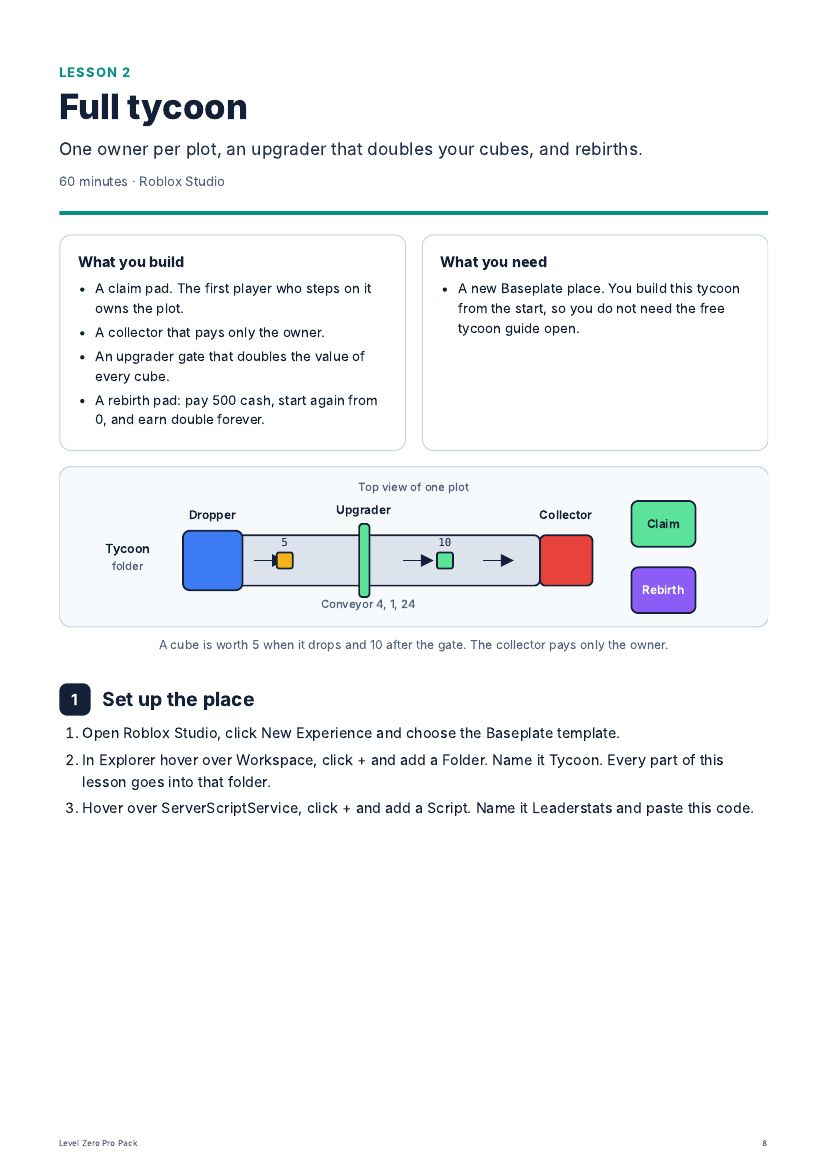
One owner per plot, an upgrader that doubles your cubes, and rebirths.
A claim pad. The first player who steps on it owns the plot.
A collector that pays only the owner.
An upgrader gate that doubles the value of every cube.
A rebirth pad: pay 500 cash, start again from 0, and earn double forever.
All steps in this lesson (7)
Set up the place
Build the claim pad
Add the conveyor and the dropper
Add the upgrader
Collect cubes for the owner only
Add the rebirth pad
Make more plots
3
Lesson 3 · 60 minutes
Simulator: pets, eggs and a second world
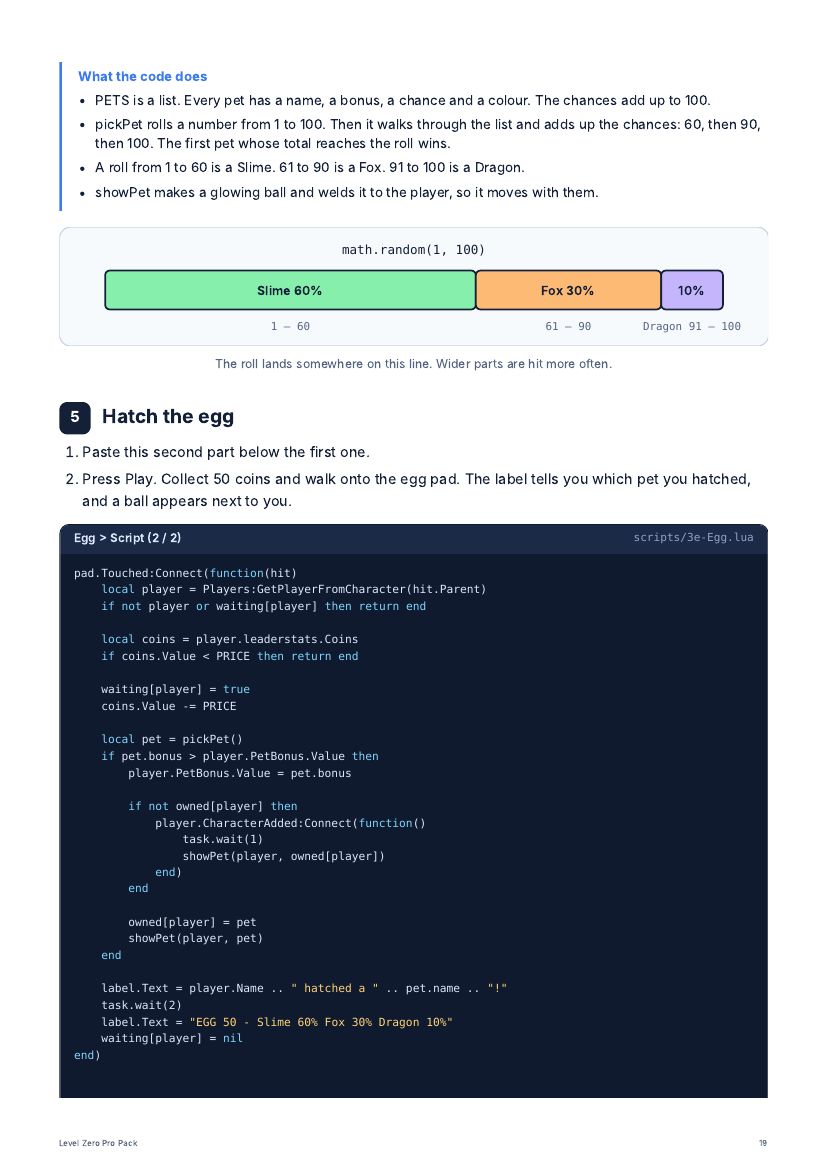
An egg with three pets of different rarity, a pet that follows you, and a new world to unlock.
A clicking game: click the crystal, sell power for coins, buy a stronger click.
An egg pad with a random pet: Slime, Fox or Dragon.
A pet that floats next to you and multiplies every click.
A portal to World 2 that opens at 500 coins.
All steps in this lesson (7)
Create the player numbers
Build the crystal and the two pads
Build the egg pad
Choose a random pet
Hatch the egg
Open a second world
Follow the rule for random items
4
Lesson 4 · 70 minutes
Tower defense: build towers, enemy types and bosses
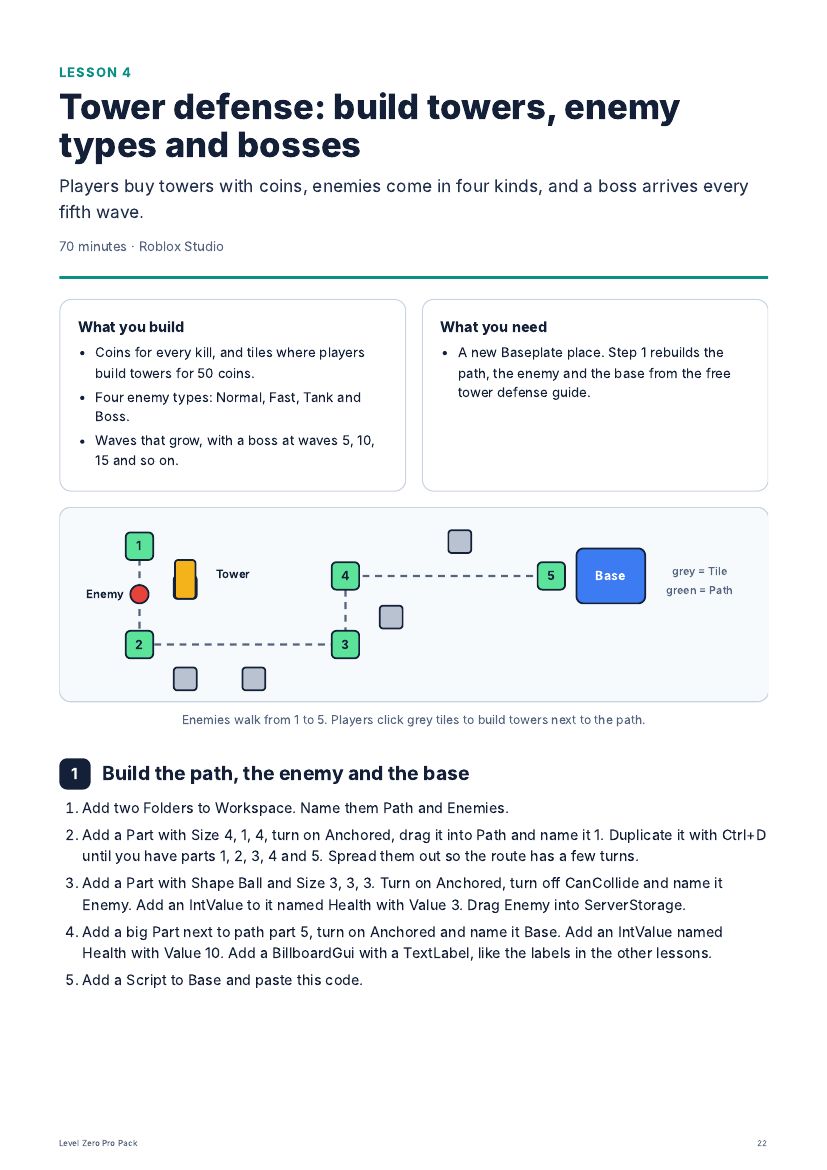
Players buy towers with coins, enemies come in four kinds, and a boss arrives every fifth wave.
Coins for every kill, and tiles where players build towers for 50 coins.
Four enemy types: Normal, Fast, Tank and Boss.
Waves that grow, with a boss at waves 5, 10, 15 and so on.
All steps in this lesson (7)
Build the path, the enemy and the base
Give every player coins
Make the tower template
Add the building tiles
Create the enemy types
Send the waves
Balance your game
5
Lesson 5 · 50 minutes
Earning from your game
A game pass that doubles cash, a product that sells cash, and a shop with two buttons.
A Double Cash game pass. Players buy it once and keep it forever.
A +500 Cash developer product. Players can buy it again and again.
A small shop on the screen with a button for each.
All steps in this lesson (7)
Understand the two kinds of sale
Create the game pass
Check who owns the pass
Pay double to pass owners
Create and handle the cash product
Build the shop
Test the purchases
6
Lesson 6 · 30 minutes
Before you publish
Icon, thumbnails, settings and a plan for your first 100 players.
A game page that explains your game in three seconds.
The settings Roblox needs before a game can be public.
A simple way to see where new players stop playing.
All steps in this lesson (7)
Fix the first minute
Make the icon and the thumbnails
Write the name and the description
Fill in the settings
Measure where players stop
Go public
Find your first 100 players
Look inside
Three pages from the PDF. The pack is written in English. The code is the same in every language.
Who it is for
For beginners who have finished at least one of the free guides. You do not need to know how to code. You should know how to add a part and a script in Roblox Studio.
Tested before release
Every script was run in Roblox Studio before release. Two things can only be fully checked inside your own published game: real data stores and real purchases. The lessons explain how to test them.
Questions about the Pro Pack
How do I get it after I pay?
You get an email with a download link right away. The download is one ZIP file with the PDF and a folder of scripts.
What language is the pack in?
English. The code works the same in every language. The free guides on this site are translated.
Can I get my money back?
No. All sales are final and there are no refunds at any stage. The pack is a digital download that you receive right away. Use the free guides and the sample pages on this page to decide before you buy.
Do I need Robux or Roblox Premium?
No. Roblox Studio is free, and test purchases inside Studio are free.
Is it a subscription?
No. You pay once and keep the files.
Is this made by Roblox?
No. Level Zero is an independent learning site. It is not affiliated with or endorsed by Roblox Corporation.
Pro
Level Zero Pro Pack
The five beginner guides stay free. The Pro Pack has six advanced lessons in one download: a 37-page PDF and 24 ready-to-paste scripts. One payment of $9. No subscription.
Sales open soon. The payment page is waiting for approval.